


Building a genuine community on social media these days feels like trying to start a campfire in the rain.
You’ve got the algorithms working against you, the endless scroll competing for attention, and let’s not even talk about how hard it is to create real connections through text alone.
That’s where Twitter Spaces flips the script. These Twitter Spaces best practices for building community focus on leveraging live audio conversations to create something that actually feels human.
I’ve seen firsthand how a well-hosted Space can transform passive followers into an engaged community that shows up week after week.
Honestly? Audio hits different—it conveys tone, personality, and emotion in ways text simply can’t match.
What Are Twitter Spaces and Why They Matter for Community Building?
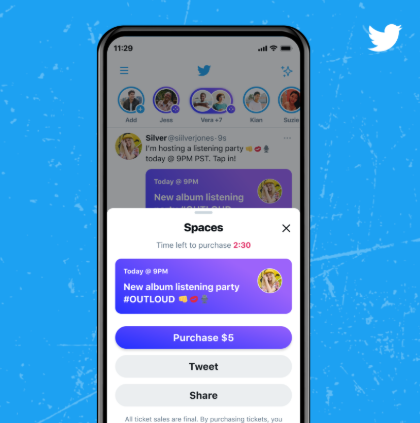
Understanding the Twitter Spaces platform
Twitter Spaces are basically virtual audio rooms where you can host live conversations. You get to moderate, invite speakers, and have listeners join in real-time.
It’s like hosting your own podcast but with immediate audience interaction. The setup is surprisingly simple: tap that purple circle with the plus sign on your Twitter app, select “Spaces,” and boom—you’re creating a room.
What makes this special is how it breaks down the barriers between creator and audience. Instead of just broadcasting at people, you’re actually having a conversation with them.
The psychology of audio-based connection
I was skeptical at first about audio-only content. But then I noticed something wild—people share way more personal stories and vulnerable moments when they’re talking rather than typing.
There’s something about hearing someone’s voice that creates intimacy faster than any carefully crafted tweet thread.
Audio captures nuance—the laughter, the pauses, the excitement—that gets lost in text.
It’s why some of my most meaningful community connections have started from random conversations in Spaces where someone shared a struggle and three other people immediately jumped in with support.
Why Twitter Spaces outperform text for community engagement?
Here’s the thing: text engagement is great for quick interactions, but it doesn’t build the same sense of shared experience.
When your community members are all listening to the same conversation at the same time, reacting to the same moments, and participating together, it creates inside jokes and collective memories.
I’ve watched communities develop their own catchphrases and running gags from Spaces that carried over into their regular tweets.
The real-time nature means you’re building relationships simultaneously rather than asynchronously.
Pre-Space Preparation: Setting the Foundation for Community Growth

Strategic topic selection that sparks discussion
Choosing the right topic is everything—it’s the difference between crickets and a vibrant conversation.
What works?
Topics that hit on your community’s actual pain points, current frustrations, or shared interests. I always check my community’s most engaged-with tweets and see what questions keep popping up in my DMs.
Pro tip: frame topics as open-ended questions rather than statements. “How are you dealing with algorithm changes?” gets way more discussion than “Algorithm changes are hard.”
Scheduling for maximum audience availability
Timing matters more than people think. I learned this the hard way when I hosted a Space at what I thought was a great time.
Only to realize my international community members were asleep. Now I use Twitter analytics to see when my followers are actually online, not just when I assume they are.
The sweet spot? Usually late afternoons during weekdays or Sunday evenings, but it really depends on your specific audience.
| Audience Type | Best Days | Best Times | Notes |
|---|---|---|---|
| Tech/Developer | Tuesday-Thursday | 3-5 PM EST | Post-lunch slump, avoiding meeting hours |
| Creative/Artists | Weekends | 7-9 PM EST | Evening relaxation hours |
| Global/International | Wednesday | 12-2 PM EST | Covers EU morning and APAC evening |
| Entrepreneurs | Monday/Friday | 8-10 AM EST | Before workday gets hectic |
Building anticipation through multi-channel promotion
You can’t just create a Space and expect people to magically show up. I start promoting 3-4 days out with a tweet thread explaining what we’ll discuss and why it matters.
Then I create a simple graphic (Canva templates work great) and share it across other platforms where my community hangs out—Discord, LinkedIn, even Instagram Stories.
The day before, I’ll tag a few regulars who I know would contribute valuable perspectives. It sounds like a lot, but this multi-channel approach regularly doubles my attendance compared to just tweeting once.
The Anatomy of an Engaging Twitter Space Structure

Creating a welcoming introduction sequence
First impressions set the tone for everything. I always start by welcoming people by name as they join—Twitter shows you who’s entering, so use that! Then I do a quick intro that covers three things: what we’re discussing, why it matters, and how people can participate.
Something like: “Hey everyone, thanks for joining! Today we’re talking about beating creative block—because let’s be real, we all struggle with it.
Feel free to use the raise hand feature if you want to jump in, or drop questions in the tweet.” This gives clear expectations right away.
Balancing prepared content with organic conversation
Here’s where most people mess up—they either over-prepare and sound like a lecture, or wing it completely and end up rambling.
I create a loose outline with 3-5 key points I want to cover, but leave space for tangents and audience stories. Usually I’ll prepare the first 5-7 minutes of content to get things rolling, then open it up.
The magic happens in those unplanned moments when someone shares an experience that completely shifts the conversation.
Designing natural transitions between segments
Awkward transitions kill momentum. I use simple phrases to move between topics: “That’s a great point about [previous topic].
It actually connects perfectly to what we were going to discuss next about [new topic].” Or “I want to make sure we cover [next point] before we run out of time.”
The key is acknowledging what was just said while gently guiding toward what’s next. It keeps the conversation flowing instead of feeling jarring.
Hosting Techniques That Foster Inclusive Participation

Mastering the art of moderation and facilitation
Moderating a Space is like being a dinner party host—you want everyone to feel included and heard. I make a point to regularly check the participant list and notice who’s been quiet.
Sometimes I’ll directly but gently invite participation: “I see [username] joined us—they always have great insights on this topic if you’d like to share.”
The trick is making it an invitation, not a demand. I also keep an eye on talk time—if someone’s dominating, I might say “Thanks for those thoughts—let me quickly get a couple other perspectives before we circle back.”
Techniques for drawing out quiet participants
Not everyone feels comfortable jumping into conversations, especially with established community members already speaking.
I create structured opportunities for quieter voices by doing round-robin style questions: “Let’s go around and everyone share one thing they’re working on this week.”
I also use the “raise hand” feature strategically—when I see several hands up, I’ll intentionally call on people who haven’t spoken yet before returning to regular contributors.
Managing dominant speakers without discouraging engagement
This is tricky because you don’t want to shut down enthusiastic participants, but you also need to make space for others. I establish gentle boundaries early: “
We’ve got a lot of people who want to share, so let’s try to keep responses to about a minute so everyone gets a turn.” If someone consistently overtalks, I might DM them during the Space with a friendly “Hey, love your energy!
Mind if I make sure some newer folks get to contribute too?” Usually they appreciate the gentle nudge.
| Community Size | Moderation Approach | Speaking Structure | Engagement Focus |
|---|---|---|---|
| Small (5-15 people) | Informal, conversational | Open floor, minimal moderation | Building personal connections |
| Medium (15-50 people) | Light facilitation | Raise hand system, host calls on people | Balancing regulars and newcomers |
| Large (50+ people) | Structured moderation | Designated Q&A segments, co-host management | Managing flow, preventing chaos |
| Very Large (100+ people) | Team moderation | Pre-selected speakers, limited open mic | Content delivery over participation |
Leveraging Co-Hosts and Guest Speakers for Community Expansion

Strategic selection of co-hosts with complementary expertise
Choosing the right co-hosts changes everything. I look for people who bring different perspectives than me—if I’m strong on strategy, I’ll find someone strong on creative execution.
The magic happens in the contrast. Before we go live, we have a quick 10-minute sync to align on talking points and decide who’s covering what.
This prevents that awkward thing where everyone talks over each other or there’s dead air because nobody knows who should speak next.
Onboarding guests to align with community values
When bringing in guest speakers, I send them a quick one-pager about our community norms—things like our approach to constructive feedback, how we handle disagreements, and what kind of language we avoid.
It’s not about being restrictive, but about making sure guests understand the culture they’re stepping into. I also share a couple of recent Spaces so they can get a feel for the vibe.
This preparation makes guests more comfortable and ensures they contribute in ways that resonate with the community.
Cross-promotion strategies with guest speakers
Collaboration amplifies everyone’s reach. When I have a guest scheduled, we coordinate promotion—they tweet to their audience, I tweet to mine, and we both engage with each other’s posts.
But here’s the key: it has to feel authentic, not just transactional. I encourage guests to share why they’re excited about the conversation, not just “I’m hosting a Space tomorrow.”
The best cross-promotion comes from genuine enthusiasm about the topic and connection.
Interactive Elements That Boost Audience Engagement

Designing effective Q&A sessions that encourage participation
Q&A segments can either be amazing or painfully awkward. I structure them with clear instructions: “We’re moving to Q&A—if you have a question, hit the raise hand button and I’ll bring you up.
Try to keep questions concise so we can get to more people.” Sometimes I’ll have people submit questions via tweet first if we have a particularly large audience.
The worst thing you can do is open with “Any questions?” to dead silence. I usually prime the pump by having a couple of questions ready from pre-submissions or common themes I’ve noticed.
Using polls and reactions for real-time feedback
Twitter’s reaction features are low-key genius for engagement. During a Space, I’ll periodically ask for emoji reactions to gauge sentiment: “Drop a 🔥 if you’ve experienced this too” or “Give me a ❤️ if this resonates.”
It creates moments of collective expression without requiring speaking time. For more structured feedback, I’ll create quick Twitter polls during the Space and share results live.
This works especially well for decision-making conversations where the community actually influences the outcome.
Incorporating listener stories and experiences
The most powerful moments in Spaces often come from audience stories. I create intentional segments for this: “Now I want to hear from you—who’s dealt with this recently and has a story to share?”
I make sure to acknowledge and validate each contribution, even if it’s just a quick “Thanks for sharing that—it takes courage to be vulnerable here.”
When people see their experiences being valued, they’re more likely to participate again and bring others into the community.
| Technique | Ease of Implementation | Expected Participation Rate | Best For |
|---|---|---|---|
| Emoji Reactions | Very Easy | 40-60% of listeners | Large groups, quick sentiment checks |
| Raise Hand Q&A | Moderate | 10-20% of listeners | Medium groups, deeper discussions |
| Twitter Polls | Easy | 25-35% of listeners | Decision-making, opinion gathering |
| Story Sharing | Challenging | 5-15% of listeners | Established communities, safe topics |
Technical Setup and Audio Quality Best Practices
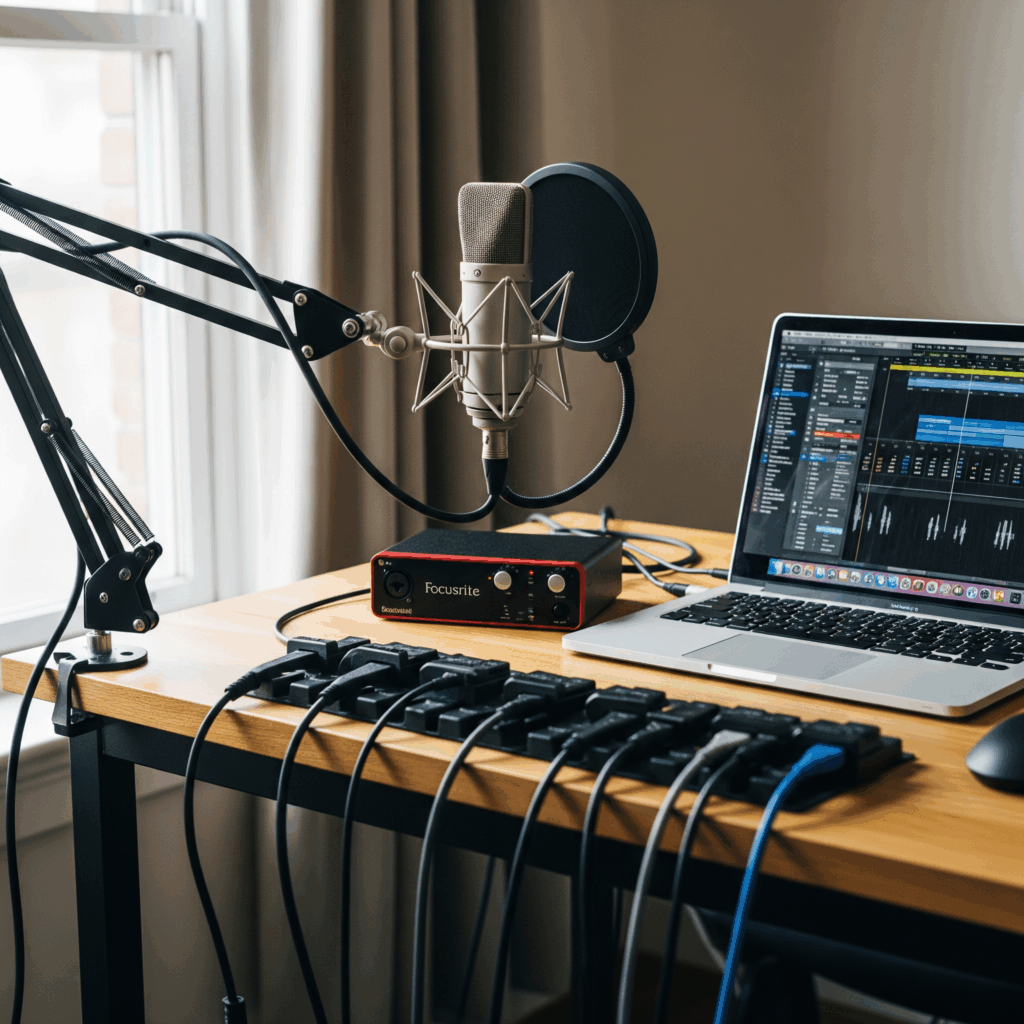
Essential equipment for professional audio quality
Let’s get real—nobody wants to listen to someone who sounds like they’re talking through a tin can. I started with just my phone’s microphone and quickly learned that quality audio matters way more than I thought.
The upgrade that made the biggest difference? A decent USB microphone. You don’t need a $300 setup—a $60 Blue Yeti Nano or similar dramatically improves how professional you sound.
Also, headphones are non-negotiable—they prevent echo and feedback that can ruin the experience for everyone.
Testing and troubleshooting before going live
I always do a technical check 30 minutes before going live. I join a test Space by myself and record a quick voice note to check levels.
Then I have a friend jump in to confirm everything sounds good on their end. The things I check: internet connection stability (wired is better than WiFi if possible), microphone volume (not too loud, not too quiet), and background noise (turn off fans, close windows). Having this routine has saved me from so many technical disasters.
Managing connectivity issues during Spaces
Even with preparation, technical issues happen. My protocol: if my connection drops, my co-host immediately takes over with a prepared talking point while I reconnect.
We’ve actually turned this into a running joke—”Well, while our host is fighting with their WiFi, let’s talk about…” It keeps the energy up instead of awkward silence.
I also keep the Space tweet open on my phone so I can quickly communicate if I need to drop and rejoin.
Post-Space Engagement Strategies to Sustain Community

Creating valuable recap content from Space recordings
The conversation doesn’t end when the Space does. I download the recording and create multiple pieces of content from it: a tweet thread with key takeaways, a short video clip of the most powerful moment, and a carousel with quotes from participants.
This serves two purposes: it provides value for people who couldn’t attend live, and it reinforces the experience for those who did. I always tag participants when sharing their contributions—it makes them feel seen and encourages future engagement.
Following up with participants to continue conversations
This is where community building actually happens—the follow-up. I send DMs to people who contributed particularly valuable insights: “Hey, loved what you shared about [topic]—would you be open to expanding on that in our Discord?”
I also create Twitter polls or threads that continue the discussion: “We talked about [topic] in yesterday’s Space—what’s one action you’re taking based on our conversation?”
This creates continuity between Spaces instead of treating each one as a separate event.
Measuring success through engagement metrics
Beyond just listener count, I track metrics that actually indicate community health: percentage of listeners who spoke or used reactions, how long people stayed in the Space, how many new followers I gained from it, and how many participants returned from previous Spaces.
The most valuable metric? How the conversation continues afterward in DMs, quote tweets, and other platforms.
If people are still discussing the topics days later, you’ve built real community engagement, not just passive consumption.
Building the Know-Like-Trust Factor Through Consistent Spaces

Developing a consistent hosting schedule and format
Consistency builds anticipation and trust. I host my main community Space every Tuesday at 4 PM EST—rain or shine.
My community knows they can count on that weekly touchpoint. I also maintain a consistent format: welcome and updates, main topic discussion, Q&A, and closing takeaways.
This predictability makes people comfortable because they know what to expect. Even the rhythm of how often you host matters—weekly feels like a routine, monthly feels like an event.
Demonstrating expertise through valuable content
Trust comes from consistently delivering value. I make sure every Space has at least one actionable insight or framework that people can immediately use.
But here’s what I learned—it’s not just about showing what you know, it’s about being generous with that knowledge.
The Spaces where I’ve shared my actual processes, templates, and behind-the-scenes thinking have consistently built more trust than theoretical discussions. People trust you when they see how you actually work, not just what you preach.
Showing vulnerability and authenticity to build trust
This was the game-changer for me. When I started sharing not just my successes but my failures and struggles—the campaign that flopped, the audience growth plateau, the times I almost quit—that’s when my community became ride-or-die. Vulnerability creates connection because it’s human.
Now I make space in every conversation for real talk about challenges, not just wins. It gives others permission to be authentic too, which transforms a audience into a community.
| Trust Element | Short-term (1-4 Spaces) | Medium-term (5-12 Spaces) | Long-term (13+ Spaces) |
|---|---|---|---|
| Consistency | Establish regular schedule | Maintain through disruptions | Become community ritual |
| Expertise | Share basic valuable content | Provide advanced insights | Become go-to authority |
| Vulnerability | Share small struggles | Discuss larger challenges | Model growth through failure |
| Accessibility | Respond to messages | Remember participant details | Develop personal connections |
Advanced Community Building Techniques for 2025

Creating space-specific rituals and traditions
The communities that feel most cohesive develop their own culture through rituals. In my Spaces, we have a tradition where we start by sharing one win from the past week—it sets a positive tone and gets people participating early.
We also have a running joke about my terrible puns that somehow became part of our identity. These might seem small, but they create shared history and inside language that bonds people.
Developing community roles and recognition systems
As communities grow, people naturally take on roles—the question-asker, the encourager, the connector. I intentionally recognize and reinforce these roles by giving shoutouts: “Shoutout to [user] who always asks the questions everyone’s thinking but too afraid to ask.”
For super-engaged members, I might offer moderator roles or invite them to co-host occasionally.
This distributed leadership model takes pressure off you and makes the community feel owned by everyone, not just you.
Integrating Spaces with other community platforms
Twitter Spaces work best as part of an ecosystem, not a standalone community. I integrate mine with a Discord server where conversations continue between Spaces, a newsletter that recaps key insights, and occasional live events that bring the online community into real life.
The Spaces become the regular heartbeat, but the other platforms provide different ways to engage.
This multi-platform approach accommodates different participation styles and prevents community fatigue from any single format.
Frequently Asked Questions
Do I need a certain number of followers to host Twitter Spaces?
No. Twitter now allows any account with more than 5 followers to host a Space.
Can I schedule Twitter Spaces in advance?
Yes. You can schedule a Space up to 30 days in advance to promote it and boost attendance.
What’s the ideal length for a community-building Twitter Space?
45-90 minutes. This allows for depth without causing listener fatigue.
How many co-hosts and speakers should I include in a Space?
2-4 consistent co-hosts, with 3-5 spots for guest speakers or audience members. This balances structure with diverse voices.
How can I encourage shy community members to participate?
Offer multiple ways to engage: written questions, polls, and emoji reactions. Send personal invitations and use welcoming language.
What metrics should I track to measure community building success?
Track participation rate, listener retention, follower growth from Spaces, and repeat attendees. Qualitative feedback is also crucial.
